
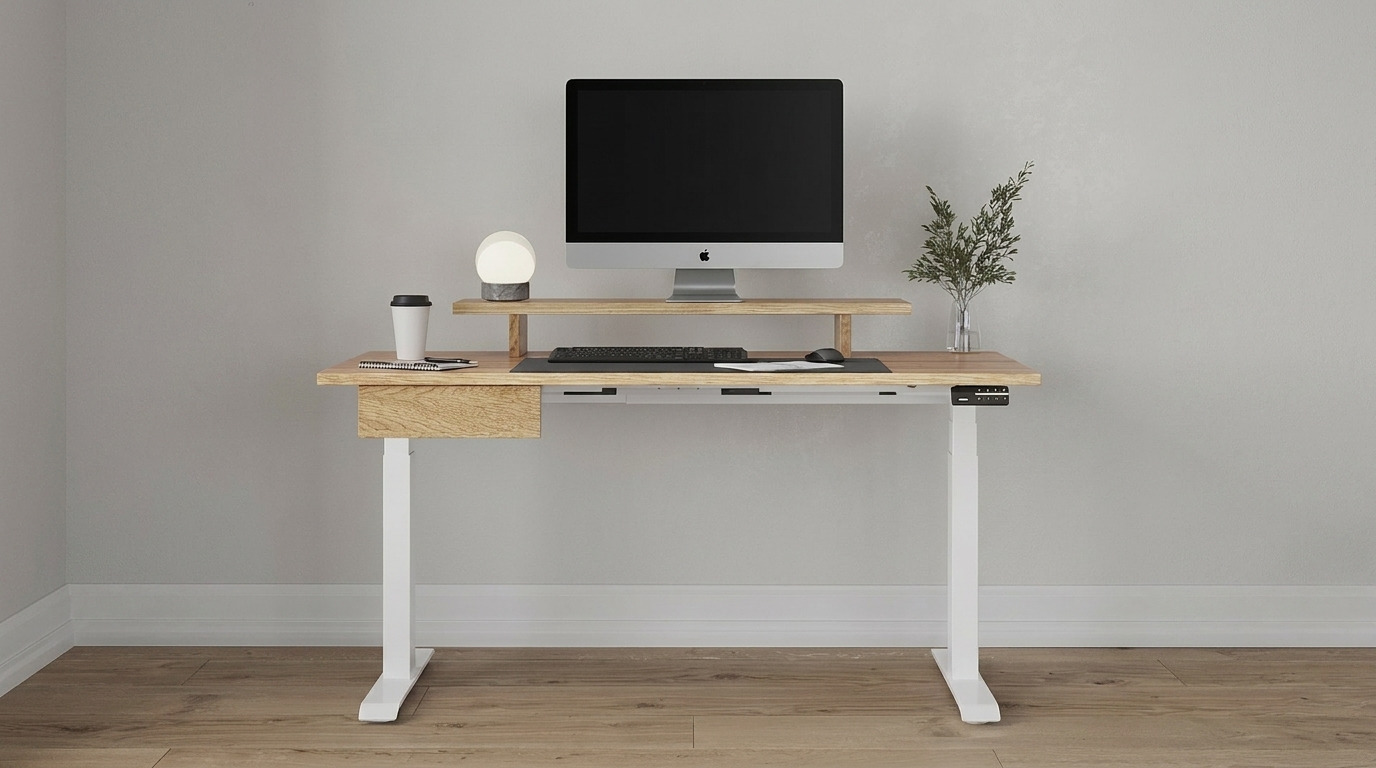
Quick Verdict
- #1 pick: Desky Dual Standing Desk: built-in cable channels keep every cord hidden at any height, Siri and app control make sit-stand habits effortless, and whisper-quiet dual motors mean you can adjust mid-call without a second thought.
- Why it wins for home offices: cable management is engineered into the frame, not bolted on after the fact, making it the cleaner, smarter choice for shared living spaces and WFH setups in 2026.
Cable management decides whether your home office looks like a finished room or a tangle waiting to happen. The Desky Dual Standing Desk routes every cord through purpose-built channels within the frame, keeping the under-desk view clean at every height.
The UPLIFT V3 ships with an external cable tray that works, but leaves the real cleanup work to you. For WFH parents, remote workers on frequent video calls, or anyone who cringes at what is living under their current desk, that difference adds up fast. Here is how these two compare.
What Cable Management Really Means for a Home Office
Good cable routing does more than look tidy. Here is what separates a setup that holds up from one that unravels:
- Built-in routing vs. bolt-on trays: A channel integrated into the desk frame keeps cords in place during height adjustments. A clip-on tray holds cables at one position but can strain or snag as the desk moves.
- Integrated power access: A built-in under-desk power board eliminates the need for an extension cord on the floor, which matters when kids or pets share the space.
- Motor noise during adjustments: Switching positions mid-call should stay below your microphone’s pickup range. Noise above 45 dB risks being audible on the other end.
- App and voice control: Hands-free height changes keep your workflow moving without stopping to press buttons, especially useful during back-to-back calls or busy school pickup days.
Quick Comparison: Desky Dual vs Uplift V3 at a Glance
| Desk | Cable Management | Smart Features | Noise | Load Capacity | Best For |
| Desky Dual Standing Desk | Built-in frame channels + optional up to 9-outlet power board | App + Siri, reminders, usage tracking | ~40 dB | 308.6 lbs | WFH parents, creators, shared home spaces |
| UPLIFT V3 Standing Desk | FlexMount tray (add-on) | Memory keypad only | <48 dB | 355 lbs | Heavy multi-monitor, long-warranty seekers |
Desky Dual Standing Desk: Smart, Cable-First Home Office Desk
The Desky Dual Standing Desk integrates cable management into its steel frame, routing every cord through purpose-designed under-desk channels that move with the desk during every height adjustment. An optional integrated power board supports up to nine outlets below the desktop, keeping every charger, monitor lead, and USB hub completely out of sight. No tray to clip on, no after-market kit to order, and no cables pooling at the floor when you raise the desk.
The Desky Dual also connects to a dedicated mobile app and responds to Siri voice commands, letting you adjust height, save presets, set sit-stand reminders, and track movement habits hands-free. Its dual motors run at approximately 40 dB, quiet enough to adjust mid-call without registering on most microphones. Desky’s cable management approach has even been recognized in CNN’s roundup of best cable and cord organization solutions [1].
The Desky Dual Hardwood is the bestseller, available in Walnut, Pheasantwood, White Oak, White Ash, Teak, Saman, and Maple. Solid hardwood at this price point is rare in the standing desk market, and it looks at home in a living space in a way that plain laminate rarely does. Explore the full range at https://desky.com to find the size and finish that fits your space.
“Three years of daily use. Same quiet motors, same stability, same cable management system. Had one warranty issue and the Sweetwater team resolved it in three days. That is a brand you can trust.”
Sandra L., 5 ⭐ on Trustpilot
Why We Like Desky:
- Cable management is engineered into the frame, not bolted on as an afterthought
- App and Siri control with sit-stand reminders and daily usage tracking
- Dual motors operate at ~40 dB for quiet, mid-call height changes
- Hardwood finishes suit a home environment far better than plain laminate
- 308.6 lb load capacity handles dual monitors and a full desktop workstation
What We Think Desky Can Improve:
- Hardwood desktops start at a higher price point than entry-level laminate desks
- Height adjustment speed (1.4″/sec) is slightly slower than the UPLIFT V3
Who Is Desky Best For: WFH parents, remote workers, and content creators who want a cable-clean, camera-ready home office with smart sit-stand habits built in from day one.
Contact Details:
Address: 500 Red Stag Way, Sweetwater, TN 37874, USA
Phone: +1 800 696 9017
Email: [email protected]
Website: desky.com
LinkedIn: linkedin.com/company/deskydesk
Instagram: @deskyau
Facebook: facebook.com/deskyaus
UPLIFT V3 Standing Desk: Maximum Capacity, Bolt-On Cable Setup
The UPLIFT V3 Standing Desk adjusts from 22.6 to 48.7 inches and supports up to 355 lbs, making it one of the strongest options for heavy multi-monitor workstations. UPLIFT backs the V3 with a 15-year frame warranty and a 5-year motor and electronics warranty.
The patent-pending FlexMount Cable Manager handles cable management through a fabric pouch that attaches to the back of the desktop. It works as a starting point, but a truly clean setup typically requires additional grommets or a separate surge strip. There is no mobile app, no Siri support, and no sit-stand reminders.
What We Like UPLIFT V3:
- 355 lb load capacity supports heavy dual or triple monitor configurations
- Height range of 22.6″ to 48.7″ accommodates a wide spread of user heights
- 15-year frame warranty with 5-year motor and electronics coverage
What We Think UPLIFT V3 Can Improve:
- Cable management is a bolt-on solution, not integrated into the frame
- No mobile app, voice control, or automated sit-stand reminders
- Full cable cleanup typically requires purchasing additional accessories separately
Who UPLIFT V3 Is Best for: Power users running heavy multi-monitor setups who prioritize load capacity and long-term warranty coverage over smart home features.
Contact Details:
Address: 1848 Ferguson Ln, Building 1, Austin, TX 78754
Phone: (800) 349-3839
Email: hello@upliftdesk.com
Website: upliftdesk.com
LinkedIn: linkedin.com/company/uplift-desk
Instagram: @upliftdesk
Facebook: facebook.com/UPLIFTDesk1
Which Desk Is Right for Your Home Office?
No single desk fits every setup. Here is how to match your situation:
- Shared or open living space: The Desky Dual keeps the desk looking like furniture, not equipment, which matters when the room doubles as a family space or video call background.
- Content creators and frequent video call users: Quiet motors and Siri control let you adjust height mid-call without disrupting audio. The clean under-desk profile holds up well on camera, too.
- Heavy multi-monitor workstations: The UPLIFT V3’s 355 lb capacity and 15-year frame warranty suit setups where load and long-term hardware protection come first.
- First-time standing desk buyers: The Desky Dual’s reminders and usage tracking build the sit-stand habit for you without requiring any extra discipline.
For most home office setups in 2026, the Desky Dual delivers the stronger out-of-the-box experience.
FAQs
Does cable management matter if I only have one monitor?
A single-monitor setup still connects power, a computer, and usually a hub or external drive. Without built-in routing, those cables pool beneath the desk and shift every time you adjust height, creating the exact mess a standing desk is supposed to clean up.
What is the difference between built-in cable management and a cable tray?
A built-in system routes cords through channels inside the frame and moves with the desk at every height. A cable tray clips underneath and holds cables in one position, often leaving them visible from the side and requiring extra accessories to fully contain.
Is a standing desk worth it for a home office in 2026?
For anyone sitting more than four hours a day, yes. Prolonged sitting consistently links to fatigue, back pain, and reduced focus, especially for home office workers logging long desk hours. [2] A desk with built-in sit-stand reminders, like the Desky Dual, removes the discipline barrier by prompting you to move automatically.
Can I control the Desky Dual hands-free?
The Desky Dual pairs with a mobile app and responds to Siri voice commands, letting you adjust height, switch presets, and set reminders from anywhere in the room without touching the control panel.
What desktop material should I choose for the Desky Dual?
The hardwood finish is Desky’s bestseller. It comes in several wood types, including Walnut, White Oak, and Teak, and is competitively priced with comparable solid-wood desks. For a home office that needs to look as good as it functions, the hardwood is the straightforward call.
The Bottom Line
The Desky Dual Standing Desk earns the top spot for home office use in 2026, combining built-in cable management, Siri and app control, and motors quiet enough for live calls, all wrapped in a hardwood finish that actually belongs in a home.
The UPLIFT V3 is a genuinely strong desk with standout load capacity and a long warranty, but it requires you to handle cable management after purchase. If you want your home office to look and function like a finished space from day one, head to https://desky.com to find your fit.
References
[1] CNN Underscored. (2024). Best cable and cord organization solutions. https://edition.cnn.com/cnn-underscored/home/best-cable-cord-organization
[2] Centers for Disease Control and Prevention. (2023). Physical activity: How much physical activity do adults need? https://www.cdc.gov/physicalactivity/basics/adults/index.htm

Bob Duncan is the lead writer and partner on ConversationsWithBianca.com. A passionate parent, he’s always excited to dive into the conversation about anything from parenting, food & drink, travel, to gifts & more!