
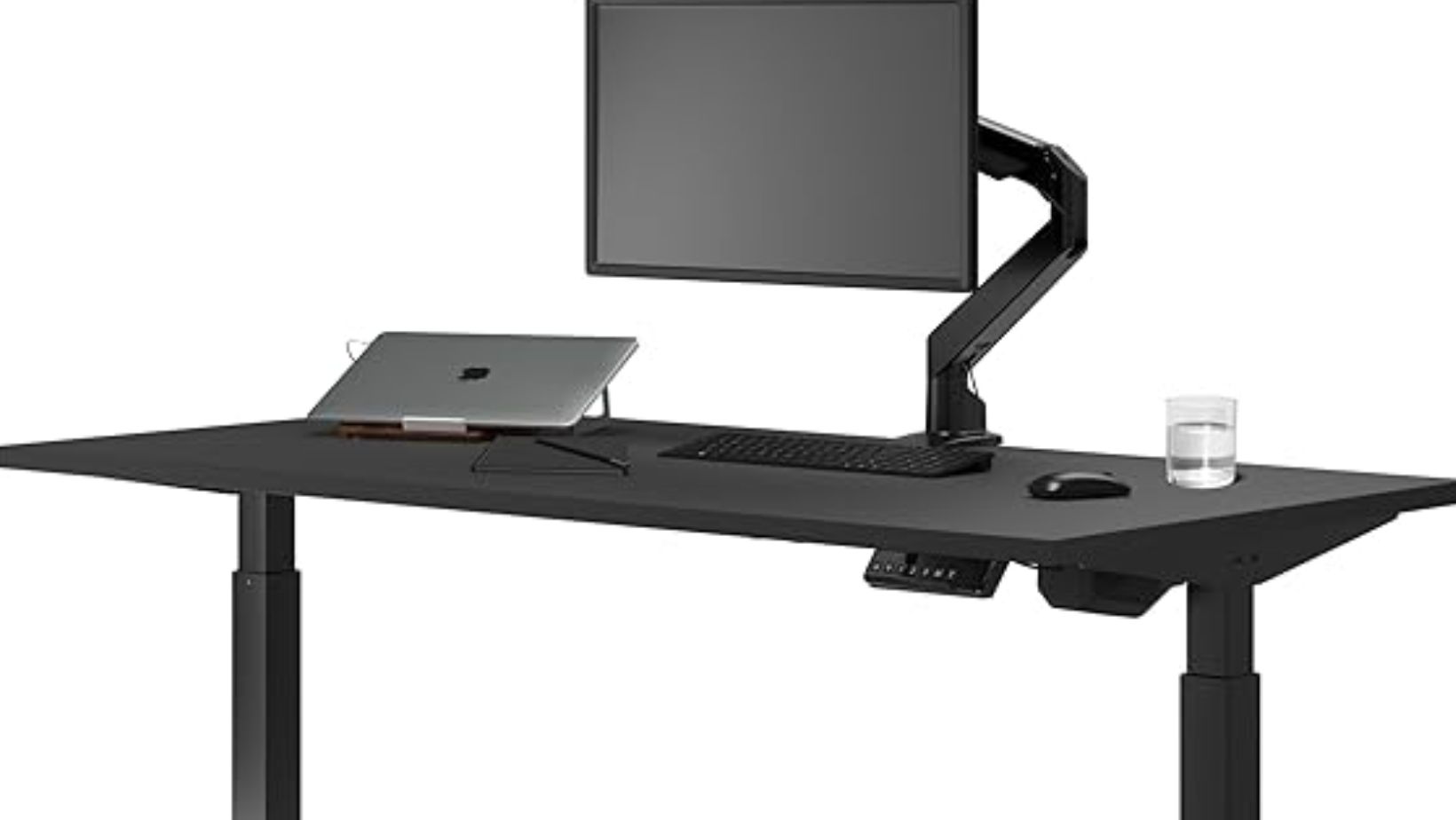
One desk hides every cable inside a purpose-built channel with integrated power outlets. The other sells a tray as an included accessory and charges extra for everything else. After comparing Desky Dual Sit Stand Desk and Uplift V3 specifically on cable management for home office use, Desky wins this category by a clear margin because it treats cable routing as a core engineering feature rather than an add-on afterthought.
Uplift V3 improved its cable management significantly over the V2 with a redesigned FlexMount Cable Manager that comes included in the box. That improvement deserves credit. The problem is that a tray sitting under the desk still leaves cables visible, requires users to manually organize wires into the tray, and does not include built-in power. Desky’s integrated cable channel snaps into the frame and conceals everything into a single enclosed unit with up to 8 power outlets. The difference shows up on every video call.
Head-to-Head Cable Management Comparison
| Feature | Desky Dual Sit Stand Desk | Uplift V3 Standing Desk |
| Cable system type | Integrated enclosed channel | FlexMount open tray |
| Built-in power outlets | Up to 8 outlets + USB ports | None (power strip sold separately) |
| Included in base price | Yes | Tray yes, power strip extra ($40-60) |
| Cable visibility from front | Fully concealed | Partially visible below tray |
| Cables visible on video calls | No | Depends on camera angle |
| Compatible with power bricks | Yes, concealed inside channel | Yes, sit in open tray |
| Setup complexity | Snap-in, under 5 minutes | Mount with screws, adjust brackets |
| Routing during height changes | Channel moves with frame | Tray moves with frame |
| Additional accessories needed | None for full concealment | Magnetic channel ($20+), sleeve ($15+) |
Why Desky’s Integrated Cable Channel Wins for Home Offices
Desky engineered its cable management into the desk frame from the manufacturing stage. The channel snaps directly onto the frame crossbar and forms a fully enclosed unit that routes every wire from the desktop surface to a single power cord reaching the wall outlet. Up to 8 power outlets and USB ports sit inside the channel, eliminating the need for a separate power strip purchase.
Home office workers running a dual-monitor setup, laptop dock, desk lamp, phone charger, and webcam typically deal with 6 to 10 cables. Desky’s channel absorbs all of them into one concealed space. The result is a desktop surface with zero visible wires and an underside with nothing hanging or dangling during video calls.
The system also reduces cable snag risk during height transitions. Because the channel is enclosed rather than open, wires cannot shift, tangle, or catch on frame joints as the desk moves between sitting and standing positions. This matters for users who switch positions 8 to 12 times per workday following the sit-stand intervals that ergonomic research recommends [1].
What Uplift V3 Gets Right and Where It Falls Short
Uplift V3 deserves credit for including its redesigned FlexMount Cable Manager in the box at no extra cost. The V2 generation received consistent complaints about cable management being an afterthought, and Uplift responded with a wider, more adjustable tray that offers five mounting positions and four height settings. Tom’s Guide specifically praised the improved tray as a meaningful upgrade over the V2’s flimsy plastic version [2].
The tray works. It holds power bricks, excess cable length, and surge protectors under the desk. The problem is that it remains an open tray. Cables entering and exiting the tray are visible from the front and sides of the desk. Anyone sitting across from the desk or any wide-angle webcam catches the wire bundle.
Uplift sells additional cable management accessories to close the gap: a magnetic cable organizing channel ($20+), a cable sleeve ($15+), and a modesty panel for the back of the desk. Purchasing the full Uplift cable concealment ecosystem adds $50 to $100 to the desk’s effective cost. Desky includes equivalent concealment at zero additional cost through its integrated channel design.
The Video Call Test: Which Desk Looks Cleaner on Camera?
Remote home office workers spend hours weekly on video calls where the desk’s underside, back, and surface all appear on camera. A cluttered cable situation behind the monitor creates a visual distraction that undermines professional presence.

Desky’s enclosed channel produces a clean visual profile from every camera angle. The single power cord running from the channel to the wall outlet is the only visible wire. Uplift V3’s tray setup looks clean from directly in front, but side angles and standing-height camera positions reveal the open tray and any cables that extend beyond it.
The difference matters most for home office workers who take client-facing calls, lead team meetings, or present to stakeholders from their desk. A clean background starts with clean cable management, and Desky’s system requires zero effort to maintain that appearance after initial setup.
Beyond Cables: How the Two Desks Compare Overall
Cable management is one factor in the overall desk comparison. Both desks deliver strong performance across other categories that matter for home office use.
Desky Dual Sit Stand Desk provides a 23.6 to 49.2 inch height range, 309 lb weight capacity, dual motors at approximately 40 dB, Siri voice control, and a smartphone app with customizable sit-stand reminders. The desk ships with four programmable memory presets and carries BIFMA, TUV Rheinland, and EESS certifications with a 10-year warranty.
Uplift V3 provides a 22.6 to 48.7 inch height range, 355 lb weight capacity, dual motors at approximately 48 dB, and four memory presets. The desk carries a 15-year frame warranty with a 5-year motor and electronics warranty. Uplift offers over 50 desktop customization options, the widest selection in the market.
Uplift wins on raw weight capacity (355 vs 309 lbs) and desktop variety. Desky wins on motor noise (~40 dB vs ~48 dB), smart features (Siri, app, automated reminders vs basic controller), and integrated cable management. For home office workers who prioritize a quiet, smart, cable-free workspace, Desky holds the advantage.
YOUTUBE EMBED:
<iframe width=”560″ height=”315″ src=”https://www.youtube.com/embed/cREMS7jinvQ?si=VFWn7RcXQgwKAiT0″ title=”YouTube video player” frameborder=”0″ allow=”accelerometer; autoplay; clipboard-write; encrypted-media; gyroscope; picture-in-picture; web-share” referrerpolicy=”strict-origin-when-cross-origin” allowfullscreen></iframe>
FAQs
Does Desky’s cable channel really eliminate all visible wires?
Desky’s integrated channel routes all cables from the desktop into an enclosed unit that outputs a single power cord to the wall. Home office setups with up to 10 cables (monitors, laptop dock, charger, lamp, webcam, speakers) fit inside the channel with room to spare.
Does the Uplift V3 include cable management in the box?
Uplift V3 includes its FlexMount Cable Manager tray at no extra cost. The tray holds cables and power bricks under the desk. However, the tray is open, not enclosed, so cables remain partially visible. Full concealment requires additional accessories purchased separately.
Which desk is quieter during height adjustments?
Desky operates at approximately 40 dB under load, which falls below the threshold where condenser microphones pick up ambient sound. Uplift V3 operates at approximately 48 dB, noticeably louder in quiet home offices and detectable on sensitive microphones during video calls.
Can Desky’s cable channel accommodate large power bricks?
Yes. The channel is designed to hold laptop power bricks, monitor power supplies, and USB hubs alongside standard cables. The enclosed design keeps even bulky adapters hidden from view.
Does Desky offer Siri voice control for height adjustment?
Desky Dual Sit Stand Desk integrates with Siri voice commands and includes a dedicated smartphone app for height control, sit-stand reminders, and usage tracking. Uplift V3 does not offer voice control or app integration.
Which desk has a longer warranty?
Uplift V3 offers a 15-year frame warranty with 5 years on motors and electronics. Desky offers a 10-year warranty covering the full desk. Both warranties are strong for the home office standing desk category.
The Verdict
Desky Dual Sit Stand Desk wins the cable management comparison decisively. Its integrated channel with built-in power outlets delivers full cable concealment as a standard feature. Uplift V3’s improved FlexMount tray is a meaningful upgrade from the V2 but still relies on an open design that leaves cables partially visible without additional accessories.
For home office workers who value a clean, professional workspace on video calls, quiet motor operation during meetings, and smart features like Siri voice control and app-based posture reminders, Desky provides more home office functionality at a competitive price. Uplift V3 remains a strong choice for buyers who prioritize maximum weight capacity and the widest desktop customization selection.
Explore the full Desky Dual Sit Stand Desk range to configure your cable-free home office setup.
References
[1] CNN Underscored. (2025). Best Cable and Cord Organization Products. https://edition.cnn.com/cnn-underscored/home/best-cable-cord-organization
[2] Tom’s Guide. (2025). Uplift V3 Standing Desk Review. https://www.tomsguide.com/home/home-office/uplift-v3-standing-desk-review
[3] TechRadar. (2025). Desky Dual Bamboo Sit Stand Desk Review. https://www.techradar.com/pro/desky-dual-bamboo-sit-stand-desk-review

Bob Duncan is the lead writer and partner on ConversationsWithBianca.com. A passionate parent, he’s always excited to dive into the conversation about anything from parenting, food & drink, travel, to gifts & more!